Sublime Text v2.2165 BETA Incl. Keygen and Patch-Lz0 (x86/x64) | 5.5 MB & 6.3 MB
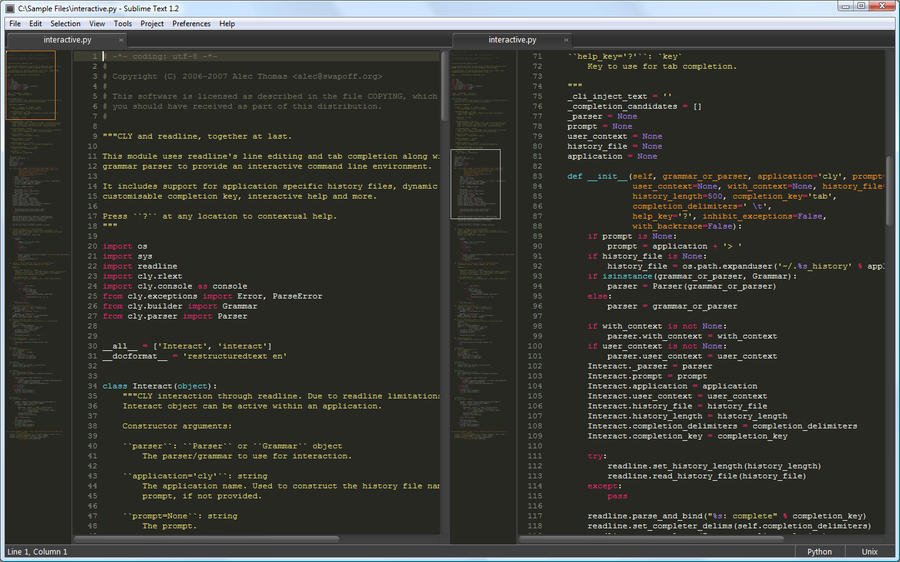
Sublime Text is a sophisticated text editor for code, html and prose. You'll love the slick user interface and extraordinary features.Sublime Text will offer you the possibility to manage a very wide range of file types, since it supports syntax highlighting for C, C + +, C #, CSS, D, Haskell, Erlang, Java , HTML, javascript, HTML, Groovy, LaTeX and many more.
What's new in this version:
• See the blog post for a summary
• Added Replace in Files functionality to the Find in Files panel
• Find in Files panel now has a single "Where" field, combining the previous "In Files" and "In Location" fields
• Added fold buttons to the gutter. They can be customized with the fold_buttons and fade_fold_buttons file settings
• Added keyboard navigation to the side bar
• Re-added and improved side bar expand / collapse animations. This can be controlled with the tree_animation_enabled global setting
• Alt clicking a folder in the side bar will expand it and all its children
• The reindent command can be used to reformat selected lines, via the Edit / Line / Reindent menu item
• Improved startup time in some scenarios
• OSX: Menu items flash when triggered with a key binding
• OSX: Improved open file behavior when no windows are currently open
• OSX: Command + Right Delete will delete to EOL
• OSX: Tweaked click-through behavior
• OSX: Fixed opening an already open file from Finder with open_files_in_new_window enabled creating a new window
• Windows and Linux: Ctrl + Scroll Wheel will change the font size
• Ctrl + F will select the find pattern when the find panel is already open
• The show_panel command now accepts a toggle parameter, which is false by default. The previous behavior was to always toggle
• Pressing escape while dragging a scroll bar will cancel the scroll
• Fixed a Ctrl + D / Super + D regression, where wrapping at EOF wasn't handled correctly
• Fixed a Find in Files regression where unsaved files couldn't be opened from the Find Results buffer
• Fixed a crash that could occur when trying to drag a closed panel
• Fixed a rare crash that could occur after moving a file between windows
• Vintage: Added '=' action to reindent
• Vintage: 'o' in visual mode will reverse the selection direction (by Guillermo)
• Vintage: Added support for the "'" key to go to bookmarks (by Guillermo)
• Vintage: Escape will exit visual line mode, instead of changing to visual mode
• Vintage: Added gf (by Guillermo)
• Vintage: Added z. and z, enter (by Guillermo)
• Vintage: Added zz (by Johnfn)
• Vintage: Added "{" and "}" motions (by Johnfn)
• Vintage: Fixed a regression with escape in 2126, causing it not to exit from visual mode
• API: window.run_command () will run text commands, dispatching them via input focus
• API: hide_auto_complete is safe to call from on_modified
Download
x86
http://letitbit.net/download/26767.29bc6f105f64ef154c449ca79e18/Sublime.Text.v2.2165.BETA.Incl.Keygen.and.Patch-Lz0.rar.html
x64
http://letitbit.net/download/18096.19d5fec1829424f5c4c653ebf6cc/Sublime.Text.v2.2165.X64.BETA.Incl.Keygen.and.Patch-Lz0.rar.html
